
A claims form arrives with a skewed scan, a stamped Thai field and a handwritten total. The system returns a confident answer, and it is wrong. Nobody notices until reconciliation. This is the daily reality of document intelligence failure root-cause analysis in production.
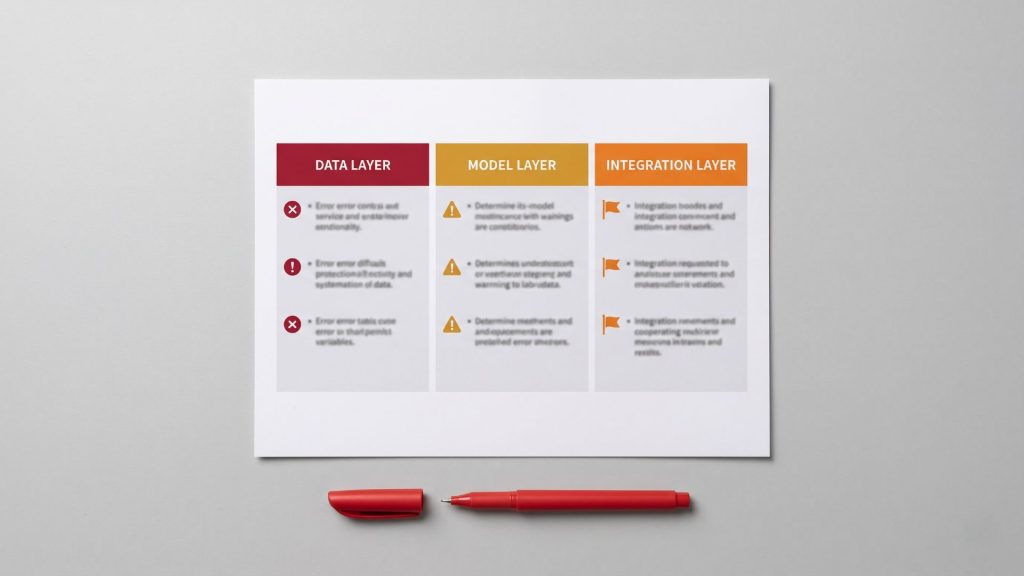
Failures sit in three layers: data, model and integration. Most vendor support responses patch the symptom you reported, so the same failure returns after the fix ships. You will leave with a way to separate recurring failures from one-off errors.

Data Layer Failures
Data layer failures occur when the document reaching the model differs from the documents the model was built to read. Poor scan quality, inconsistent layouts and multilingual fields are three common causes. Each one degrades extraction before any model logic runs, so tuning the model rarely fixes them.
Scan quality is the clearest example. Skew, low resolution and compression artifacts break character recognition at the first step, and every later stage inherits the error. The principles behind Optical Character Recognition (Wikipedia) explain why: recognition depends on clean character shapes.
Layout variance is the second cause. A model trained on one insurer’s claim form fails quietly on another insurer’s form. Multilingual fields are the third: mixed scripts inside one document need language-aware handling, which our analysis of KYC document intelligence multilingual workflows addresses. In deployments conducted for enterprise clients across APAC, we have traced many recurring errors to input variation that nobody had measured before go-live.
Model Layer Failures
Model layer failures occur when the model produces a wrong answer with misplaced certainty. The three recurring causes are poor confidence calibration, weak table extraction and unreliable handwritten field handling. Each produces errors that look correct to downstream systems, which makes them harder to catch than outright extraction failures.
Confidence calibration is the match between a model’s stated confidence and its actual accuracy. A poorly calibrated model reports high confidence on a field it misreads, so threshold-based routing passes the error through.
Table extraction fails differently. Merged cells, split headers and multi-page tables break row and column alignment, and totals land in the wrong field. Handwriting adds variance that printed-text training never covered, especially in amounts and annotations.
Our guide to multimodal document processing OCR shows how layout-aware models reduce these errors. Across client engagements in financial services and insurance, miscalibrated confidence has done the most damage, because it hides errors from the review process.
Integration Layer Failures
Integration layer failures occur when a correct extraction still produces a wrong business outcome. Downstream schema mismatches, error handling gaps and missing human review triggers are the usual causes. The model did its job, but the system around it either rejected the output, accepted it blindly or never asked a person to check it.
Schema mismatches are the simplest case to spot. The extraction returns a date as text, the claims system expects a date object, and the record fails or truncates.
Error handling gaps follow. When a field is missing, many pipelines insert a default instead of raising an exception, and the default flows into payment or reporting. Human review triggers close the loop. Without rules for low confidence, high value or conflicting fields, nobody reviews the cases that need review.
For regulated sectors, see our work on AI document intelligence financial services, where review design matters as much as extraction accuracy.
Document Intelligence Failure Root Cause: Why Vendor Fixes Do Not Hold
A document intelligence failure root cause sits in one of three layers, but vendor support usually fixes the layer where the symptom appeared. A wrong total triggers a model patch even when the scan caused it. The patch works for that file, the underlying condition remains, and the same failure returns.
Real root cause analysis starts by tracing the failed document through every stage. Check the image quality, the extracted fields with their confidence scores, and the payload that reached the downstream system. Then classify the failure by layer and fix the layer, not the file. Do this before anyone changes a model.
Ask your vendor three questions: which layer failed, how they confirmed it, and what monitor will detect recurrence. A vendor that cannot answer is fixing symptoms. The same discipline underpins AI without hallucination enterprise programs, because accountable systems explain their errors. For background on the category, see Intelligent Document Processing (Gartner).
Document intelligence failure root cause analysis pays off because it turns repeat incidents into one-time fixes. Data problems need input controls, model problems need calibration and evaluation, and integration problems need schema checks and review rules. Start with one recurring failure, trace it through all three layers and document the finding for your team. Clarion Analytics builds, deploys and stays accountable for operational AI, so we measure what happens after go-live. If you want to discuss this further, contact Clarion Analytics at clarion.ai/contact.
Frequently Asked Questions
What is the root cause of a document intelligence failure?
A document intelligence failure root cause is the underlying condition that produces a wrong extraction, as opposed to the visible error. It sits in the data layer, the model layer or the integration layer. Fixing the root cause stops the failure from recurring, while fixing the symptom corrects only the single document that failed.
Why does the same document processing error keep recurring?
The same error recurs when a fix targets the symptom instead of the layer that caused it. A model patch cannot repair a low-resolution scan, and a retrained model cannot correct a schema mismatch downstream. Without a layer-by-layer diagnosis, teams apply the wrong fix and see the same failure return later.
How do you identify which layer caused a failure?
Trace the failed document through each stage. If the image is degraded or the layout is unfamiliar, the cause is the data layer. If the extracted value is wrong or carries inflated confidence, the cause is the model layer. If the extraction is correct but the outcome is wrong, the cause is the integration layer.
When should document intelligence route a case to human review?
Route a case to human review when confidence falls below a calibrated threshold, when a field is missing, when extracted values conflict, or when the financial value of the document is high. Review triggers must live in the pipeline, not in the model. Without them, wrong extractions reach payment and reporting systems unchecked.
Which documents are hardest for document intelligence to process?
Documents that combine poor scans, mixed languages, complex tables and handwriting are hardest to process. Examples include scanned claim forms, multilingual KYC records and invoices with merged-cell tables. Difficulty rises when several of these conditions appear together in one file, because errors from the data layer compound in the model layer.
About the Author: Shivi

Related Posts